Default Path Changes from C drive to D Drive

Introduction:

As part of Information security, we can Safeguard the default paths for 'Downloads', 'Documents', or 'Desktop' from the unencrypted OS Drive (C:\) to an encrypted  Data Drive (D:\, E:\).

It will prevent data loss due to OS crashes and also ensure data protection with disk encryption.

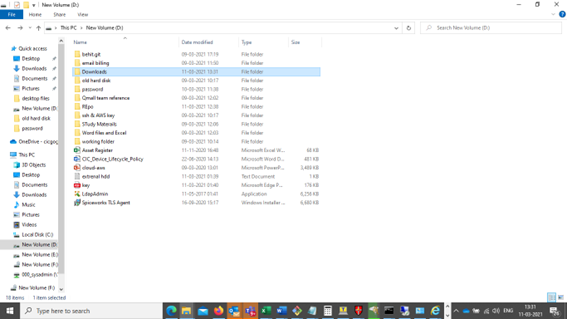
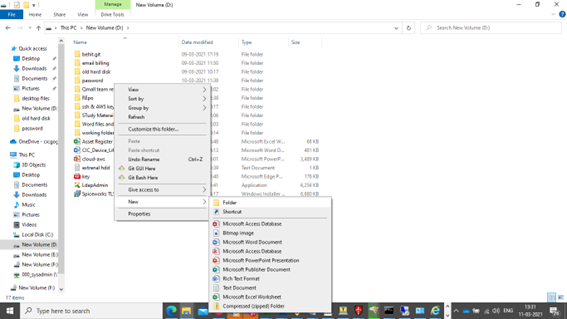
Step 1: Go to the D drive , create a new  folder and  Rename as Downloads  As below.
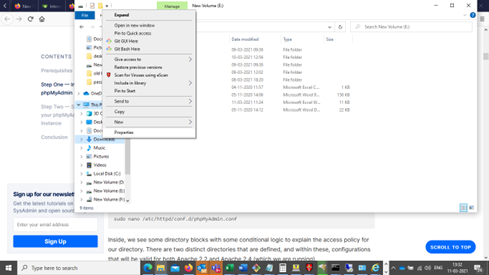
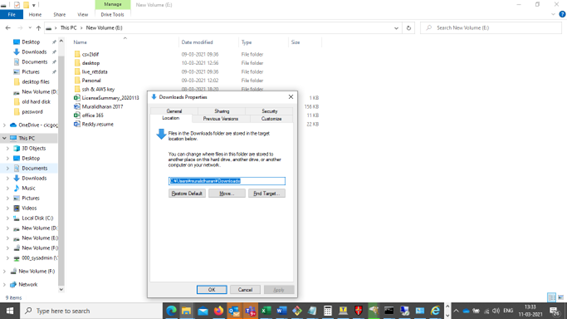
Step 2: Go to Left side menu bar ,Right click on downloads and Select properties as below.
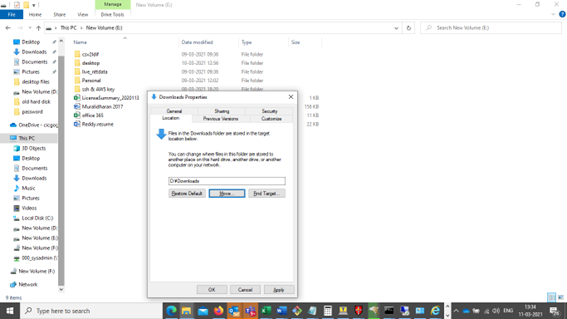
Step 3: Click location on the dialog box we will see below screen.
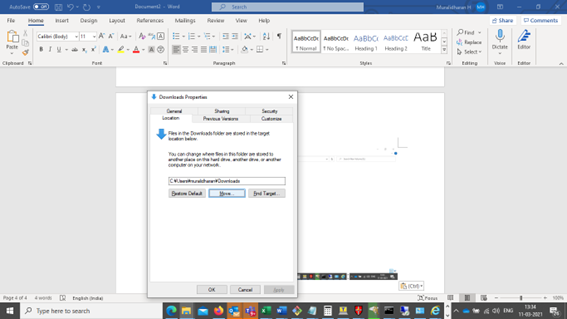
Step 4: Then click move and select D drive-> downloads.
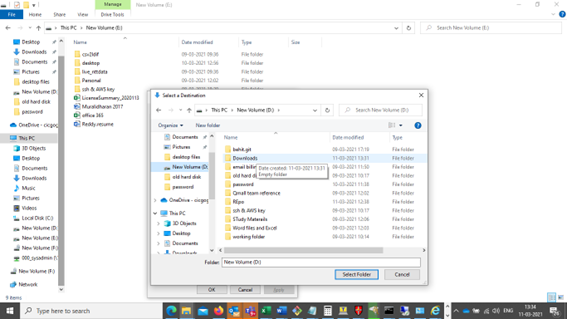
Step 5: Click Apply and Ok.

The Same procedure should be followed for Documents and Desktop.


Follow Us On

Registered Office

CHG IT CONSULTANCY PVT LTD

1st Floor, No. 2/88,
SM Towers, Rajiv Gandhi Salai,
Seevaram Perungudi, Chennai – 600096
Tamil Nadu, INDIA

Parent Office

CIC Corporation

2-16-4 Dogenzaka, Shibuya-ku,
Nomura Real Estate,
Shibuya Dogenzaka Building,
Tokyo 150-0043, JAPAN

AboutUs

CHG IT Consultancy Pvt. Ltd. is a subsidiary of CIC Holdings Co. Ltd. Japan. Our company is focused on IT related solutions to reap the benefits of global popularity of Software Industry.

Registered Office
CHG IT CONSULTANCY PVT LTD

1st Floor, No. 2/88,
SM Towers, Rajiv Gandhi Salai,
Seevaram Perungudi, Chennai – 600096
Tamil Nadu, INDIA

CIC Corporation

2-16-4 Dogenzaka, Shibuya-ku,
Nomura Real Estate,
Shibuya Dogenzaka Building,
Tokyo 150-0043, JAPAN